Opening a clinic and building a website does not put you on Google. Google has to be told you exist.
It shows a business only when it can verify three things:
- The clinic exists.
- It serves a specific location.
- It is trustworthy enough to send a patient to.
Miss any of those and you struggle to show up in Search, in Maps, or for "clinic near me".
None of this needs SEO tricks. It needs you to hand Google the information it is looking for, in the format it expects. Here is the whole process.
Why Your Clinic May Not Appear on Google Search
Usually one of these:
- No Google Business Profile
- Incomplete clinic information
- No website, or a poorly optimised one
- Missing location pages
- Lack of reviews
- Technical SEO issues
- Strong local competition
- An inactive online presence
An established clinic can lose visibility too, if the clinic down the road invests more in SEO, collects more reviews, and keeps its Google Business Profile alive.
Step 1: Create and Verify Your Google Business Profile
This is the foundation. Your Google Business Profile (formerly Google My Business) is what puts you in:
- Google Search
- Google Maps
- "Clinic near me" searches
- Local pack results
If you do only one thing from this guide, do this one.
How to Create a Google Business Profile
- Visit Google Business Profile.
- Click "Manage Now."
- Enter your clinic name.
- Select the correct business category.
- Add your address.
- Add your phone number.
- Add your website URL.
- Complete Google's verification process.
Once verified, your clinic is eligible to appear in local results and on Maps.
Step 2: Build a Clinic Website That Answers the Basics
The profile gets you listed. The website is how Google understands what you actually do.
It does not need to be elaborate. It needs four things.
- Home page
Who you are, what you treat, where you are, and how a patient books.
- About page
Your doctors, their qualifications, and the clinic's experience. Patients trust a clinic more when they can see the people in it.
- Services pages
One page per major service, not one page listing all of them. For example:
- Dental Implants
- Orthodontics
- Physiotherapy
- Dermatology
- General Practice
This is how Google learns exactly what you offer.
- Contact page
Phone number, address, an embedded Google Map, email, and an appointment form. Patients and search engines both use this page.
Step 3: Install Google Search Console and Google Analytics
A lot of clinic websites go live with no tracking at all. Then nobody can say whether anything is working.
- Google Search Console
Shows you:
- Which keywords bring visitors
- Which pages rank on Google
- Technical SEO issues
- Indexing problems
It also warns you when Google has trouble crawling your site.
- Google Analytics
Shows you:
- Website traffic
- Visitor behaviour
- Appointment page visits
- User engagement
Both are free. Without them you are guessing.
Step 4: Optimise for Local SEO
Local SEO is what gets you found when someone searches by city or area:
- Dentist in Mumbai
- Physiotherapy clinic in Delhi
- Skin specialist near me
- Pediatric clinic in Bangalore
Use Location-Specific Keywords
Not "Dental Clinic".
"Dental Clinic in Gurgaon", "Best Dentist in Gurgaon", "Family Dental Care Gurgaon".
That is what connects your clinic to a local search.
Create Location Pages
If you run more than one branch, give each one its own page. Clinic in Noida, Clinic in Gurgaon, Clinic in Faridabad.
Write each page separately. Copy-pasting the same paragraph across all of them works against you.
Step 5: Put Your Doctors on the Site
Most clinics describe their services in detail and never mention who performs them. Google wants to know who is providing medical care.
Give each doctor a page: qualifications, experience, specialisations, awards, certifications, professional memberships. It builds credibility with patients and strengthens your local signals.
Step 6: Keep Your Google Business Profile Active
Most clinics set up the listing once and never open it again. Google tends to favour profiles that show signs of life.
Update it with:
- Clinic photos
- New equipment
- Team photos
- Health awareness posts
- Clinic updates
- Holiday hours
It keeps your information accurate and sends a steady engagement signal.
Step 7: Upload Real Photos, Not Stock Images
Patients can tell. So can Google.
Upload genuine photos of your reception area, treatment rooms, medical equipment, doctors, staff and the clinic exterior.
Real images build trust and usually get more engagement on your profile.
Step 8: Collect Patient Reviews Consistently
Reviews carry a lot of weight in local visibility. When a patient is comparing two clinics, reviews often matter more to them than who ranks first.
Ask satisfied patients for honest feedback after their visit.
What counts is consistency. A clinic that gets reviews every week usually outperforms one that gets a burst of them twice a year.
One Caveat
Healthcare regulations vary by region, and some fields restrict how you may solicit reviews. Check that your approach fits your professional guidelines.
Step 9: Keep Your Clinic Details Identical Everywhere
Your clinic name, address and phone number should match exactly across:
- Website
- Google Business Profile
- Social media profiles
- Healthcare directories
- Local business listings
Mismatched details are a common local SEO mistake. Consistency is what makes Google trust the information.
Step 10: Link Your Important Pages to Each Other
Internal links help Google find and understand your pages:
- Service pages link to location pages.
- Location pages link back to service pages.
- Doctor pages link to appointment pages.
Better navigation for patients, clearer structure for Google.
If Your Clinic Has Lost Google Visibility
Traffic drops and the assumption is that something broke. Usually nothing broke. Someone else got better.
If competing clinics are collecting more reviews, publishing better content, earning more backlinks and updating their profiles regularly, they will pass you eventually.
What to Audit First
- Google Search Console
- Website indexing
- Page speed
- Google Business Profile activity
- Review growth
- Local rankings
Then compare yourself against the other clinics in your city. Often your site did not get worse. Theirs got better.
Multi-Location Clinics
A Separate Google Business Profile for Each Branch
Every physical location needs its own verified listing.
An Individual Page for Each Location
With its own address, services, doctors, contact details and location-specific information.
No Duplicate Content
Do not repeat the same paragraph on every location page. Make each one genuinely useful for the patient searching in that area.
Do You Need Help With Any of This?
Local SEO is ongoing work. Updating the website, watching rankings, reading analytics, optimising pages, managing profiles, collecting reviews, fixing technical issues.
Most of it isn't complicated. It's just relentless — and it competes with actually running the clinic.
Where ClinicsRush fits
Everything above, you can do yourself. Getting listed is a one-afternoon job, and this guide is all you need for it.
The harder part is staying visible afterwards. That comes down to reviews — how many you have, and how recent they are. It's the strongest signal Google leans on for local rankings, and it's the one most clinics leave to chance.
Not because they don't care. Because the ask depends on someone at the front desk remembering, on a busy day, every day.
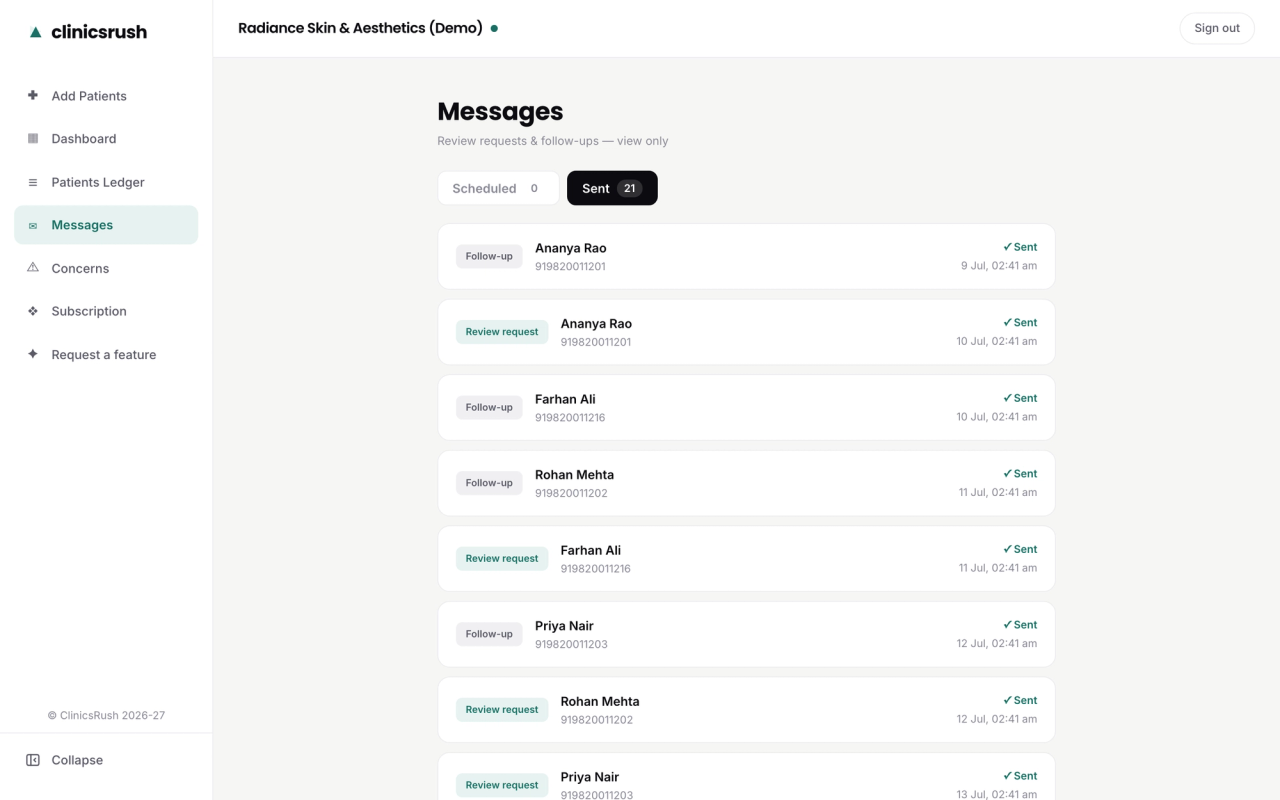
That one habit is what ClinicsRush handles for you. Your team adds the patient in about ten seconds after the visit. The patient gets a warm WhatsApp message at the right moment. Happy patients go straight to your Google review page, and unhappy ones reach you privately first, before it ever becomes a public review.
And if the gap is bigger than reviews — if you also need higher-value patients booking and actually showing up — that is what the Booked Out Clinic System is for: the consultation funnel, the follow-up automation, and the local SEO around it. Built once, and yours to keep.
Either way, start with the profile. Get listed properly, then keep the reviews coming. That is what holds the ranking.